Demonstration Script
Directorate of Geology & Mining, UP — System Walkthrough
Mining Directorate
Transit Pass Monitoring Dashboard
Enforcement dashboard prototype
00:00
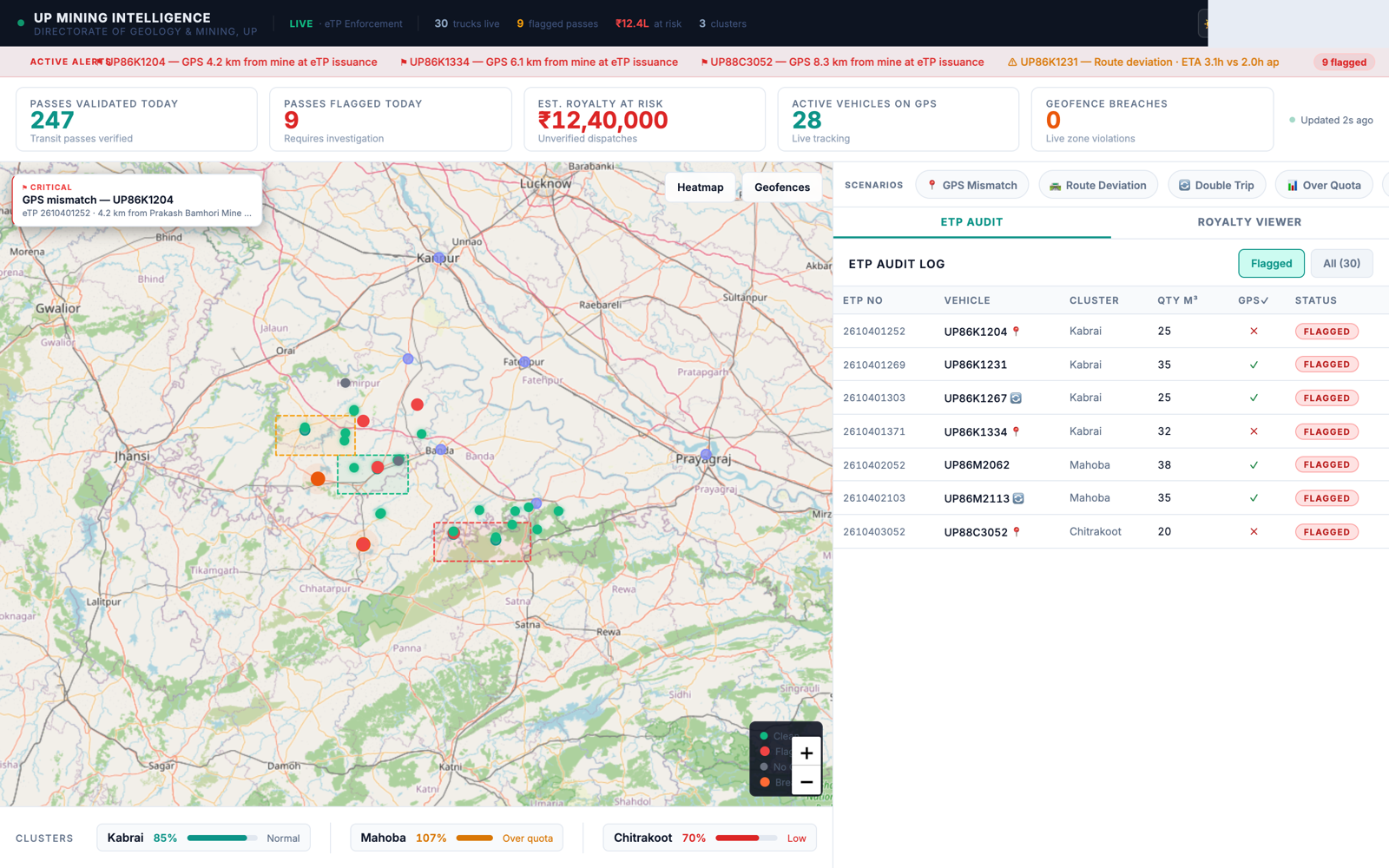
Open on the live mapRegistered vehicles in transit, geofences drawn around mine boundaries."This shows every registered vehicle presently in transit, tracked live on GPS."
01:00
Point to the summary panel247 passes validated today, 9 flagged, ₹12.4L royalty at risk."9 of the 247 passes issued today did not clear verification — this is what the system is designed to surface."
02:30
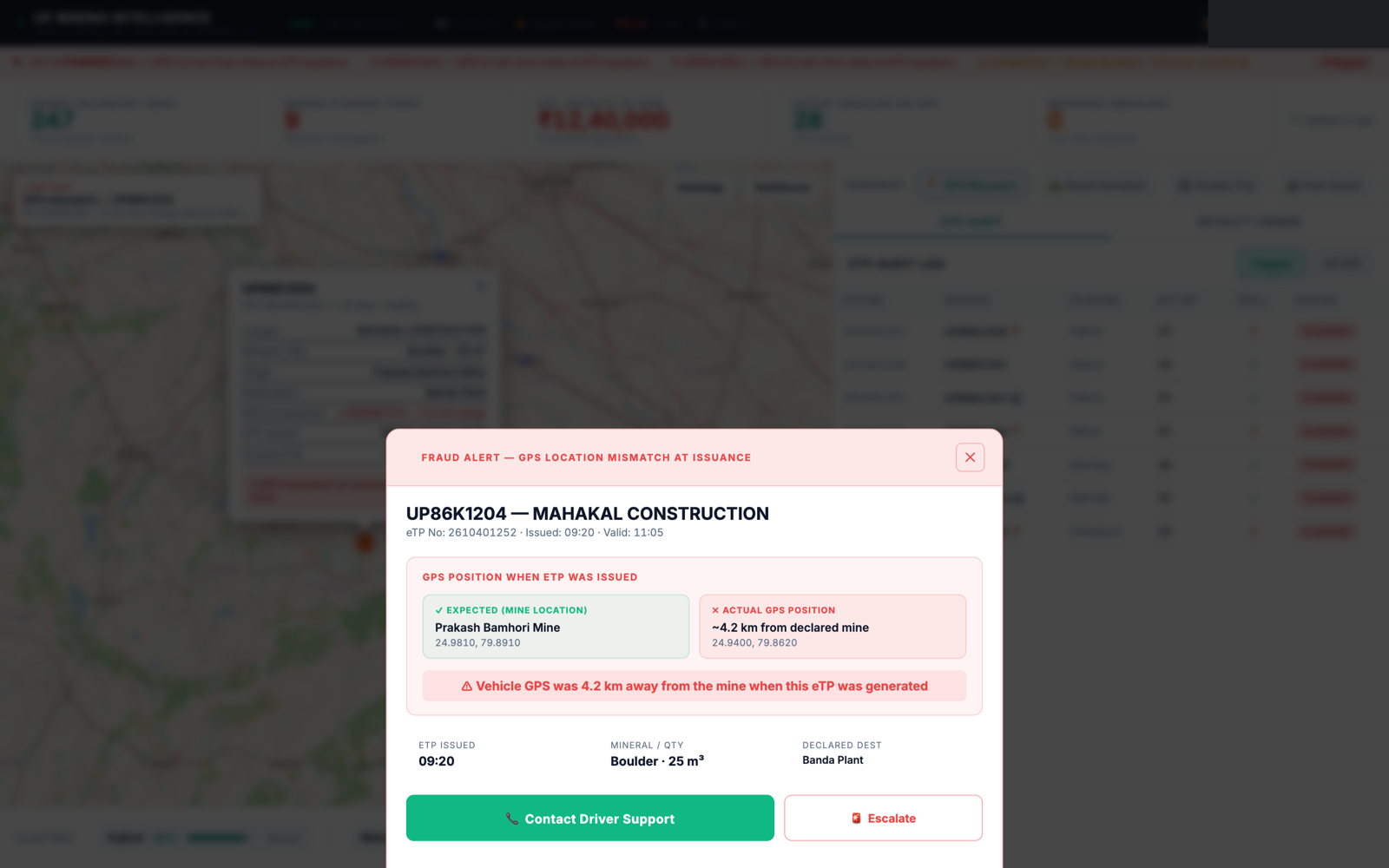
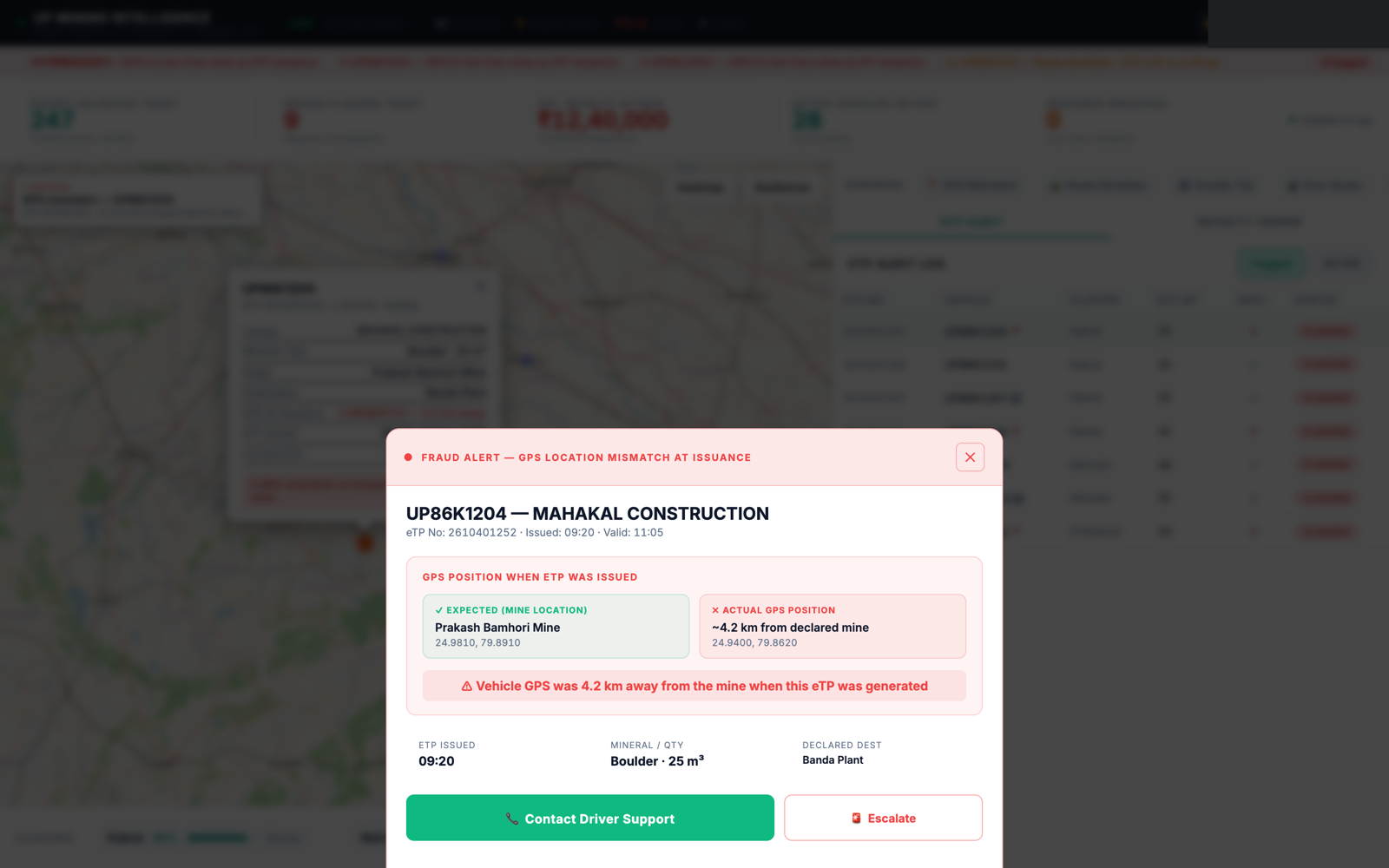
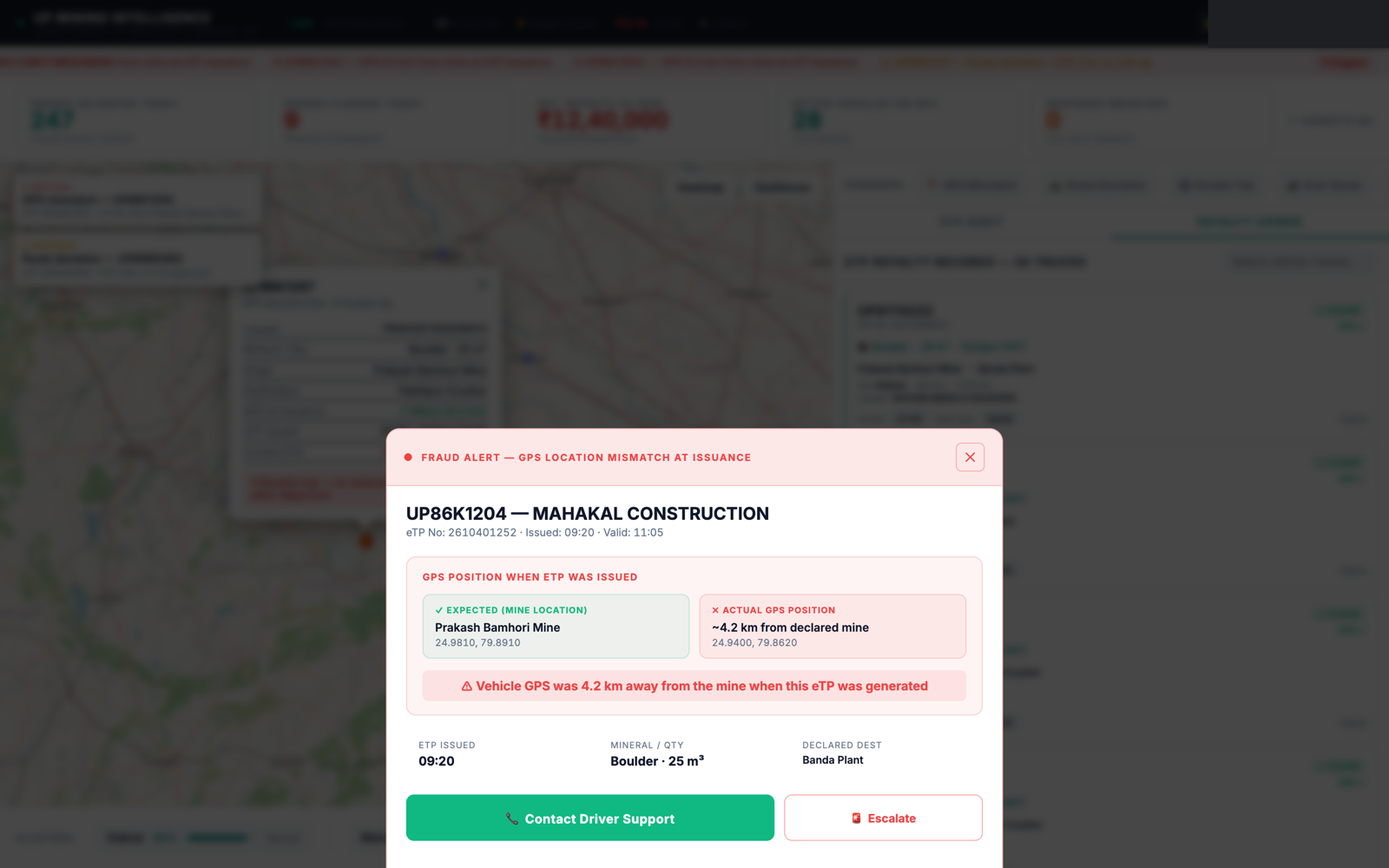
Open eTP Audit → Flagged tabShow a flagged pass row, click into it."The GPS position recorded at issuance was 6 km from the registered mine — the pass should not have cleared."
04:30
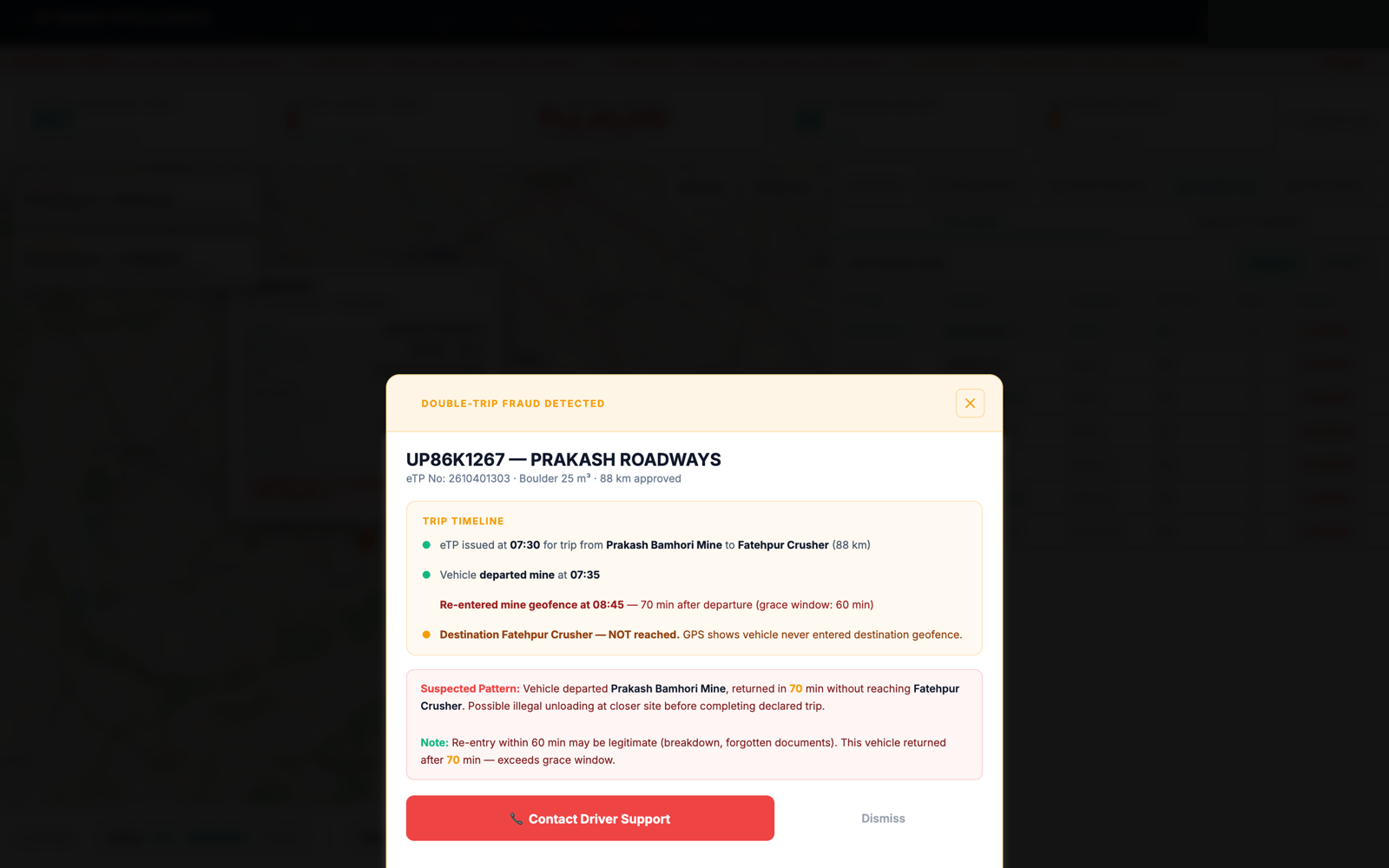
Open the double-trip caseShow GPS trip timeline, actual vs. declared destination."The same vehicle returned to the mine 75 minutes later on the same pass — indicating a second, undeclared dispatch."
07:00
Escalate the caseEscalate to Regional Enforcement Officer, 15-minute response target."At this point the case is routed to a field officer for verification, with a defined response window."
09:00
Royalty viewer and cluster drilldownShow Mahoba cluster at 107% of permitted volume."At the district level, this view shows where dispatch volume is running ahead of permitted quota."
11:00
CloseToggle light/dark theme to note field usability."This is a working prototype — every screen shown can be examined further on request."
If connectivity is unavailable: the demonstration runs fully offline once the page has loaded — load it before entering the venue.
If asked whether this is live data: state clearly that the figures shown are illustrative, demonstrating how real data would be surfaced. Refer to the capability document for deployment requirements.